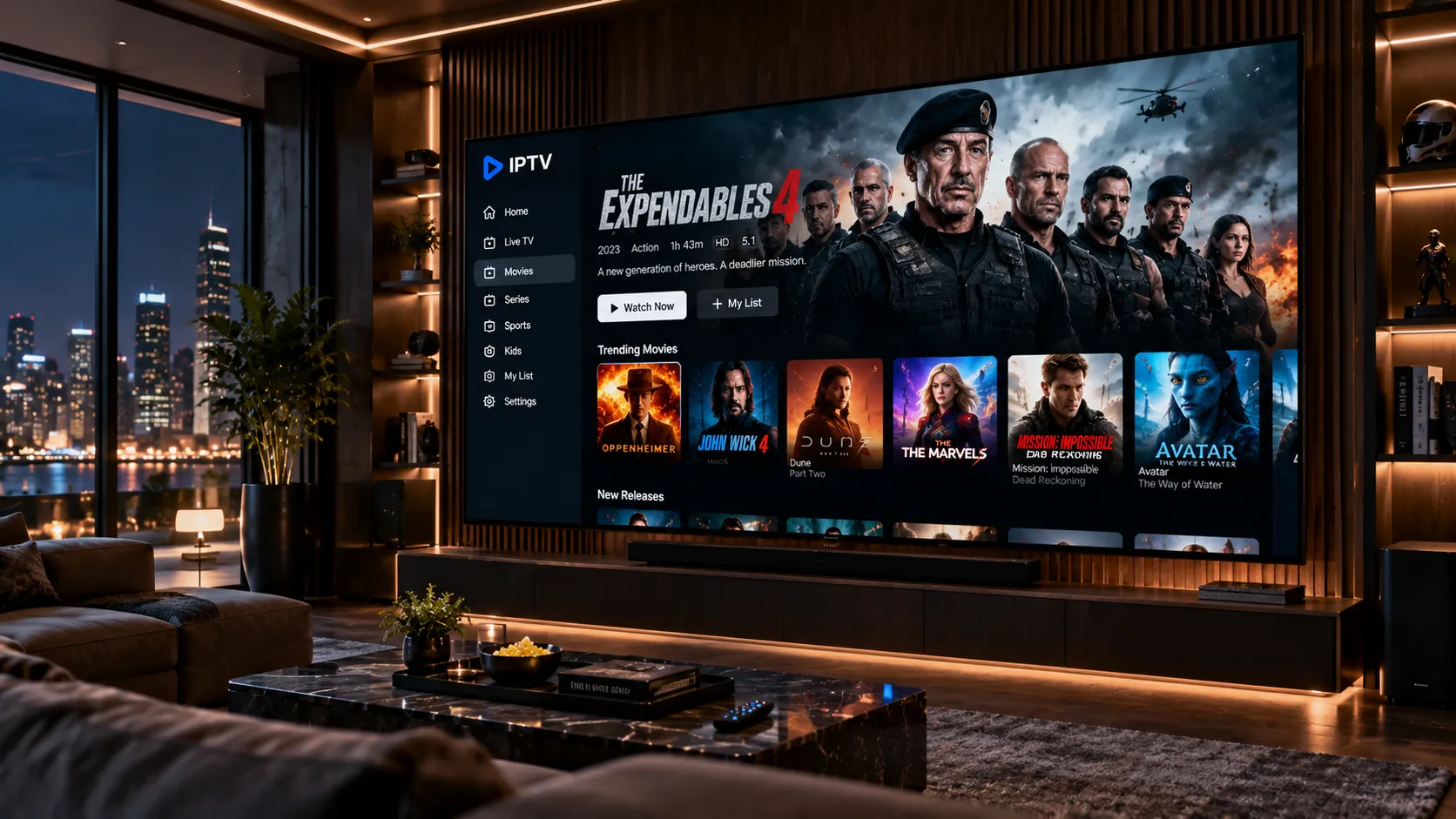
IPTVStream8K delivers a reliable, high-quality IPTV service to viewers across the UK, Ireland, and the USA. Watch live sport, news, movies, and entertainment with crisp resolution on any screen you already own — from your Smart TV to your Fire Stick.
IPTV stands for Internet Protocol Television. Rather than receiving broadcast signals through a satellite dish or cable box, IPTV delivers television content directly over your broadband connection. The result is a viewing experience that is more flexible and often sharper than traditional TV — provided you have a solid internet connection and a compatible device.
A premium IPTV subscription goes further than free or low-quality alternatives. Premium services invest in server infrastructure, maintain multiple stream redundancies, and curate a channel lineup with genuine breadth — live sport, news, film, and general entertainment. The difference between a cheap IPTV service and a quality one becomes obvious the moment you sit down to watch a live match, only to find the stream buffering every thirty seconds.
IPTVStream8K is designed for viewers who value reliability and picture quality. We provide access to thousands of channels spanning the UK, Irish, and US markets — from Premier League football to NFL, from RTÉ to ESPN — with streams that support up to 4K resolution and 8K-ready encoding where content sources permit.
The "8K" in IPTVStream8K reflects our commitment to delivering the highest stream quality that modern infrastructure and source content can support. It is important to understand how IPTV resolution actually works, so you can set realistic expectations and get the best possible experience.
Most live television — sports broadcasts, news, and drama — is produced and transmitted in HD, Full HD, or 4K. A small but growing number of productions support 8K. What an 8K-ready IPTV service provides is the infrastructure and codecs to handle such streams when they exist, rather than artificially capping quality to save server costs.
Our servers use efficient H.265 (HEVC) encoding, which delivers richer picture quality at lower bandwidth than older H.264 streams. This means that even at standard HD or 4K, the picture you see is cleaner and more detailed than you might expect from older IPTV providers.
There is no shortage of IPTV services online. Here is what shapes the experience at IPTVStream8K and why it matters for day-to-day viewing.
Our servers maintain multiple stream paths for popular channels. If one route experiences congestion, the service switches automatically — reducing interruptions during live sport and prime-time viewing.
An Electronic Programme Guide is included with your subscription. Browse what is on now and what is coming up, just as you would with a conventional cable or satellite service — no guesswork required.
One subscription works across Smart TVs, Amazon Fire TV Stick, Android TV boxes, smartphones, tablets, and computers. Watch in the living room on the big screen, then continue on your phone.
The channel lineup is built around what viewers in these three markets actually want — UK terrestrial and sport channels, Irish free-to-air, and major US networks and cable channels in a single subscription.
From the Premier League and Championship to the NFL, NBA, GAA, and Six Nations — sport is a priority in our channel selection. Explore the full sports channels available.
No email queues, no ticket systems. When you need help — whether it is initial setup or a stream issue — you contact us directly on WhatsApp and receive a real, prompt response from someone who knows the service.
Choose the plan that works best for you. All plans include our 30-Day Money-Back Guarantee.
Perfect for trying out our service
Great value for short term
Best value for loyal customers
Popular choice for commitment
Getting started with IPTVStream8K is straightforward. Most customers are watching within the hour.
Reach us on WhatsApp to discuss the plan options and ask any questions. We will confirm availability and walk you through the subscription process.
Select a subscription plan that matches your needs — monthly or longer-term. Trial access is available so you can check stream quality before committing.
Once your subscription is confirmed, you will receive the connection details you need to configure your chosen app on your device — directly and promptly.
Open your IPTV player, enter your details, and load your channel list. Browse the EPG, find your channel, and enjoy. Full setup guides are available for every supported device.
There is no proprietary set-top box to buy. IPTVStream8K works with the devices already in your home. Our full device setup guide covers each platform in detail.
Samsung, LG, Sony, Hisense, and most Android TV-powered televisions. Install a compatible IPTV player from the app store and connect with your credentials.
Fire TV Stick (all generations including 4K and 4K Max). IPTV Smarters and TiviMate both work well and can be sideloaded in minutes. See our Fire Stick setup guide.
Dedicated Android TV streaming boxes (NVIDIA Shield, Formuler, MAG-style boxes) offer the most open environment for IPTV apps and are a popular choice for heavy viewers.
Watch on the go on Android phones, iPhones, iPads, and Android tablets. Multiple IPTV player apps are available on both platforms and work seamlessly with your subscription credentials.
Watch via a desktop IPTV player application or through browser-compatible stream players. A reliable wired ethernet connection will give you the best experience on a PC or Mac.
Several IPTV players are available on tvOS for Apple TV (4th generation and above). Apple TV's powerful hardware handles 4K and higher-resolution streams without issue.
IPTV quality is not solely determined by the provider. The connection between your router and your streaming device has an enormous influence on what you actually see on screen. Understanding the factors involved helps you get the best possible picture — and diagnose issues quickly if they arise.
For comfortable HD viewing, 10 Mbps is the working minimum. For 4K streams, 25 Mbps provides a stable experience. If you want to take advantage of 8K-ready streams — and these require compatible source content — a connection of 50 Mbps or higher is advisable. These figures assume your IPTV stream is the primary activity on your network at that moment.
| Quality | Min Speed | Recommended |
|---|---|---|
| Standard HD | 5 Mbps | 10 Mbps |
| Full HD 1080p | 10 Mbps | 15 Mbps |
| 4K Ultra HD | 20 Mbps | 25 Mbps+ |
| 8K-Ready | 40 Mbps | 50 Mbps+ |
One often-overlooked factor is Wi-Fi congestion. A wired ethernet connection from your router to your streaming device is always preferable to Wi-Fi when watching live content, particularly sports. Even a fast Wi-Fi network can introduce micro-interruptions during peak hours that cause brief buffering. Read our full troubleshooting guide for practical fixes.
IPTVStream8K was built with a specific geographic scope in mind: the United Kingdom, Ireland, and the United States. The channel lineup, stream scheduling, and content organisation reflect the distinct viewing habits and preferences of audiences in each market.
Irish viewers have a distinct appetite for domestic sport — GAA, League of Ireland, and Six Nations rugby alongside Premier League football. Our Irish channel selection includes the major free-to-air channels alongside sports coverage that matters to Irish audiences. Find out more about the best IPTV options for Ireland.
UK viewers expect access to the full breadth of British television — from terrestrial favourites to premium sport. Our UK channel list covers the major broadcast groups alongside a strong selection of sports channels. The full channel guide gives a comprehensive picture of what is available.
For US subscribers, the service provides a broad selection of American cable and network channels — sports, news, entertainment, and more. Whether you are cord-cutting or supplementing an existing package, the US channel offering spans the genres that American viewers prioritise.
Not all IPTV services are created equal. If you are currently researching and comparing IPTV providers, here are the factors that separate a reliable premium service from one that will frustrate you within a week.
Most IPTV issues have straightforward solutions. Our full IPTV troubleshooting guide covers these in depth, but the following fixes resolve the vast majority of problems subscribers encounter.
If you are currently using Wi-Fi and experiencing buffering, plug an ethernet cable directly from your router to your streaming device. This single change resolves most buffering issues for viewers with adequate broadband speeds.
A simple router restart clears temporary network issues and can restore full speed if your connection has gradually slowed. Unplug for 30 seconds, then reconnect. This resolves more problems than most people realise.
If your internet connection is under pressure from other household usage, switching to a lower-resolution stream variant keeps content watchable without interruption. Most IPTV players let you select stream quality per channel.
Outdated IPTV player apps sometimes cause playback issues unrelated to stream quality. Check for updates to your app (IPTV Smarters, TiviMate, etc.) or reinstall if problems persist after checking your connection.
If a specific channel is not working but others are fine, refreshing your playlist or channel list within your IPTV app often resolves it. Individual stream URLs can occasionally change, and a refresh picks up the latest ones.
If you have tried the above and the issue persists, get in touch with us on WhatsApp. We can check your account status, test your specific stream, and provide tailored guidance — usually within a short time.
Our in-depth guides cover everything from choosing a subscription to setting up your device and getting the best possible picture quality.
What to know before subscribing — plan types, trial options, and how to choose the right subscription for your viewing habits.
What 8K streaming actually means in practice, what hardware and internet speed you need, and how to get it working.
Step-by-step setup instructions for every supported device — Fire Stick, Smart TV, Android box, iPhone, Mac, and more.
Live TV, sports, news, movies, and on-demand — a full overview of the channel categories available across UK, Ireland, and USA.
What makes one IPTV service better than another? An honest look at the criteria that separate reliable providers from poor ones.
Fix buffering, freezing, app errors, and EPG issues with our practical troubleshooting guide — written for non-technical users.
Everything you need to know before subscribing — from how IPTV works to setting up your device and what to do if something goes wrong.
IPTV — Internet Protocol Television — delivers television content over your broadband connection rather than via an aerial, satellite dish, or cable. Unlike traditional broadcasting, where all channels are transmitted simultaneously and your television selects one, IPTV sends only the stream you request, on demand. This makes it flexible, efficient, and compatible with a much wider range of devices than conventional TV. The key difference in practice is that IPTV quality depends on your internet connection rather than your signal strength or proximity to a transmitter.
Yes, a trial period is available so you can evaluate the service — stream quality, channel selection, and EPG performance — before committing to a paid plan. We strongly encourage you to test the service during a period that includes live sport or an event type you care about, as live streaming puts more demand on any IPTV service than on-demand content. Contact us on WhatsApp to arrange trial access and ask any questions you have first.
IPTVStream8K is compatible with a broad range of devices, including Amazon Fire TV Stick (all generations), Android TV boxes, Samsung and LG Smart TVs, Apple TV (4th generation and above), iPhones, iPads, Android smartphones and tablets, and Windows or Mac computers via compatible IPTV player software. Our detailed setup guide covers the configuration process for each platform, including which apps work best on each device type.
For comfortable HD streaming, a minimum of 10 Mbps is recommended. Reliable 4K streaming benefits from 25 Mbps or above. For 8K-ready stream quality, a connection of 50 Mbps or higher is advisable — particularly if other devices on your network are also active. A wired ethernet connection is always preferable to Wi-Fi for live streaming, as it eliminates the micro-interruptions that cause buffering. Our troubleshooting guide has more detail on optimising your network for IPTV.
Yes. Ireland is one of our primary markets and the channel lineup reflects this — including Irish free-to-air channels, GAA coverage, Irish sports broadcasting, and the UK channels that Irish audiences watch regularly. Our service also includes a strong selection of international channels relevant to communities living in Ireland. Read our dedicated Ireland IPTV guide for more detail on what is available and how to get started from an Irish address.
Buffering is almost always caused by a network issue rather than a problem with the stream itself. The most common causes are a slow or congested broadband connection, a poor Wi-Fi signal between your router and streaming device, or peak-time internet congestion from your ISP. Switching to a wired ethernet connection, restarting your router, and reducing the stream quality to a lower tier resolve the vast majority of buffering issues. If the problem persists, our IPTV buffering fix guide covers additional solutions in detail.
No — and any IPTV service claiming otherwise would be misleading you. The resolution available on any given channel depends on the original broadcast source. Most live television is produced and transmitted in HD or Full HD. A growing number of sources provide 4K content, and 8K broadcast content remains limited but is expanding. What IPTVStream8K provides is the infrastructure to deliver these streams at their native quality — we do not artificially reduce resolution, and our servers support higher-quality encoding where it exists at the source.
Once your subscription is confirmed, you will receive your connection credentials directly. We provide device-specific setup guidance for every supported platform, and detailed written guides are available on our website for each device type. Ongoing support is handled via WhatsApp — direct, personal communication with someone who knows the service, rather than an automated ticket system. Most setup questions are resolved within a single short conversation.
Contact us on WhatsApp to ask questions, discuss your requirements, or arrange a trial. Most customers are watching within the hour of their first message.